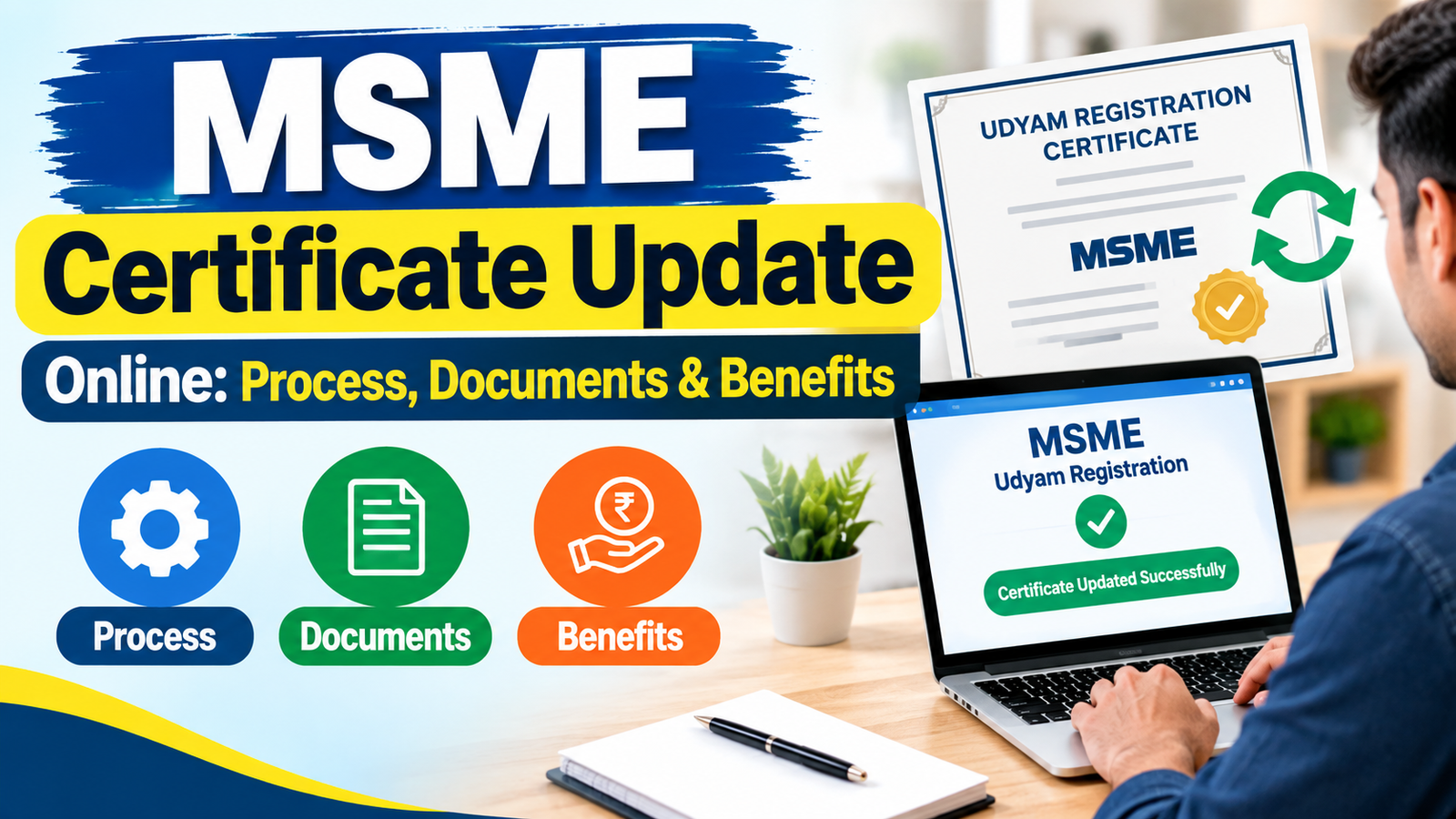
MSME Certificate Update Online: Process, Documents & Benefits
An MSME certificate, which is given through the Udyam Registration system has details, about a business that is registered. As a company grows or changes making sure the details linked to Udyam Registration are correct can help keep records
The process to update an MSME certificate is done online using the Udyam Registration website. Depending on what information's being changed the business might need to check details through the right verification process and give correct business information.
The Udyam Registration website says that MSME registration is free no paper is needed and it is based on self-declaration. It also gives a certificate that has a dynamic QR code. It is important to know that Udyam Registration does not need to be renewed
This guide talks about MSME Certificate Update Online, the information that might be required the update process, how to check the MSME certificate update status and the advantages of keeping registration details correct.
What Is an MSME Certificate Update?
An MSME certificate update means updating eligible information associated with an enterprise's Udyam Registration.
Businesses may need to review or update their information when there are changes in areas such as:
- Enterprise or business details
- Contact information
- Official business address
- Plant or unit information
- Business activities
- NIC activity details
- Employment-related information
- Investment and turnover information, where applicable
- Other information requested through the Udyam system
The Udyam Registration framework provides for enterprises to update information online, including relevant information connected with income-tax returns and GST returns. Classification can be updated based on information furnished by the enterprise or obtained from government sources.
Therefore, an MSME should not treat the certificate as a document that never needs attention. While there is no requirement for renewal of Udyam Registration, businesses should keep their information accurate and respond to applicable update requirements.
Why Is MSME Certificate Update Important?
Accurate business information is important because the Udyam Registration Certificate represents the enterprise's registered information.
An outdated record can create confusion when the enterprise uses its MSME/Udyam details for business or official purposes. Keeping information updated can also make it easier to verify the enterprise's current details.
Some common reasons for reviewing the certificate information include:
1. Business Details Have Changed
A business may change its contact details, address, constitution, activities or other information after obtaining Udyam Registration.
2. Activities Have Changed
An enterprise may start an additional manufacturing or service activity. The Udyam portal allows multiple activities, including manufacturing and service activities, to be specified under one registration.
3. Financial Information Needs Updating
Investment and turnover information can affect MSME classification. The Udyam system uses information from government databases, including income-tax and GST-related information where applicable.
4. Certificate Information Should Remain Accurate
An updated record can help ensure that the information shown in the Udyam system reflects the current position of the enterprise.
MSME Certificate Update Online: Step-by-Step Process
The exact fields available during an update can depend on the enterprise's registration and the information that the portal requires. The general process is as follows.
Step 1: Visit the Official Udyam Registration Portal
Start by visiting the official Udyam Registration portal operated by the Ministry of Micro, Small and Medium Enterprises.
The government portal specifically warns users about fake websites and states that MSME registration is free of cost.
Step 2: Access the Udyam Login
Existing enterprises can use the Udyam login system to access their registration.
The current portal asks for the Udyam Registration Number and the mobile number used in the application. An OTP can be sent to the registered mobile number or email address, depending on the available option.
Step 3: Verify Your Details
Enter the requested registration information and complete the OTP verification process.
Make sure that the Udyam Registration Number is entered correctly. The portal identifies the registration number in the format:
UDYAM-XX-00-0000000
The registered mobile number should also be entered as required by the portal.
Step 4: Review the Existing Information
After successful verification, carefully review the information associated with the enterprise.
Check details such as:
- Enterprise name
- Organisation type
- Official address
- Contact information
- Plant or unit details
- Business activity
- NIC codes
- Employment information
- Investment and turnover information
Do not change information simply to match an expected MSME category. The information should be accurate and supported by the enterprise's actual records.
Step 5: Update Applicable Information
Enter the corrected or updated information in the relevant fields.
Some financial information may be linked with government records. The Udyam system states that PAN and GST-linked information relating to investment and turnover may be obtained automatically from government databases, where applicable.
Step 6: Submit the Update
Review the information carefully before submitting the update.
Errors in business names, addresses, contact details, activities or financial information can cause unnecessary problems later. Make sure the information submitted is correct and consistent with the enterprise's records.
Step 7: Check the Updated Certificate
After the information is processed, check the enterprise's Udyam information and certificate.
The official Udyam system issues an online certificate containing a dynamic QR code that can be used to access the enterprise's information on the portal.
Documents Required for MSME Certificate Update
One important point is that Udyam Registration is designed as a paperless, self-declaration-based system. The official portal states that documents or proof are generally not required to be uploaded for MSME registration.
However, enterprises should keep relevant records available when updating information because the information submitted may need to be verified by the appropriate authority.
Depending on the information being updated, useful records may include:
- Udyam Registration Number
- Registered mobile number
- Registered email address
- Aadhaar-related information where applicable
- PAN details
- GSTIN, where applicable
- Business address records
- Business constitution or organisation details
- Income-tax records
- GST return information
- Investment records
- Turnover records
- Details of business activities and relevant NIC codes
These should be treated as supporting business records, not as a universal list of documents that must be uploaded for every update.
The official framework states that information may be updated online on a self-declaration basis and that enterprises may be required to produce evidence before the concerned authority if verification is necessary.
MSME Certificate Update Status: How to Check It
The term MSME certificate update status is commonly used when a business wants to know whether its submitted information has been updated or whether further action is required.
To check the current status:
- Visit the official Udyam Registration portal.
- Use the relevant Udyam login or verification facility.
- Enter your Udyam Registration Number.
- Provide the registered mobile number as requested.
- Complete OTP verification.
- Review the registration information displayed.
- Check whether the updated details are reflected.
- Download or print the certificate again if the updated information is available on the certificate.
The official portal provides an online facility for verifying Udyam Registration details.
If the information has not been updated as expected, check whether the submission was completed successfully and whether the relevant information depends on data received from another government system.
What Happens to MSME Classification After an Update?
MSME classification is based on prescribed investment and turnover criteria.
From 1 April 2025, the current Udyam portal lists the following limits:
|
MSME Category
|
Investment Limit
|
Turnover Limit
|
|
Micro
|
Up to ₹2.5 crore
|
Up to ₹10 crore
|
|
Small
|
Up to ₹25 crore
|
Up to ₹100 crore
|
|
Medium
|
Up to ₹125 crore
|
Up to ₹500 crore
|
These revised limits are published on the official Udyam Registration portal.
The classification of an enterprise can change based on the information furnished or information obtained from government sources such as income-tax and GST returns. The applicable framework also provides for communication to an enterprise when it moves to a higher or lower classification.
This means businesses should provide accurate financial information rather than attempting to maintain a particular MSME category through incorrect information.
Benefits of Keeping MSME Certificate Information Updated
Updating your Udyam information can provide several practical advantages.
Accurate Business Records
An updated Udyam record helps ensure that the enterprise's registered information reflects its current details.
Easier Verification
The Udyam Registration Certificate contains a dynamic QR code that provides access to the enterprise's information on the official portal. Keeping the underlying information accurate supports easier verification.
Better Administrative Management
Accurate registration information can make it easier for a business to maintain its official records and use its Udyam details when required.
Correct MSME Classification
Since classification can be determined using investment and turnover information, maintaining accurate information helps the system reflect the applicable classification.
Avoiding Unnecessary Issues
Regularly reviewing business information can help identify incorrect or outdated details before they create difficulties during verification or other official processes.
Common Mistakes to Avoid During MSME Certificate Update
Businesses should be careful while making changes to their Udyam information.
Using an Unofficial Website
Always use the official Udyam Registration portal. The Ministry of MSME explicitly warns against fake websites and states that the official registration process is free.
Entering Incorrect Information
Do not enter estimated or incorrect business information simply to complete the update. Information should be accurate.
Assuming Udyam Registration Requires Annual Renewal
Udyam Registration does not require renewal. An MSME certificate update is different from renewing the registration. The official portal states that there is no need for renewal of registration.
Ignoring Government-Linked Information
Investment and turnover information can be connected with government databases. Businesses should ensure that their PAN, GST and other applicable records are consistent.
Sharing OTPs
Never share an OTP with an unknown person. Use the OTP only for the intended authentication process.
Is MSME Certificate Update Free?
The official Udyam Registration portal states that MSME registration is free of cost and that no fee is payable for the registration process.
Businesses should therefore be cautious of websites or individuals claiming that a government fee is mandatory for Udyam registration.
If a private professional or consultant offers assistance, any service charge would be separate from the government's official registration fee. Users should verify the nature of any such charge before making a payment.
MSME Certificate Update Online: Important Points to Remember
Before completing an update, keep these points in mind:
- Use the official Udyam Registration portal.
- Keep your Udyam Registration Number available.
- Use the registered mobile number or email for OTP verification.
- Review existing details carefully.
- Enter only accurate business information.
- Keep relevant supporting records available.
- Check PAN and GST-related information where applicable.
- Review your MSME classification information.
- Verify the updated certificate after the process.
- Remember that Udyam Registration itself does not require renewal.
- Avoid paying anyone who claims that the government requires a mandatory registration fee.
Final Words
The process for updating the MSME Certificate helps businesses keep their Udyam Registration details correct and up to date. Companies need to check their registered information whenever there is a change or when the Udyam system asks for updates.
The process works online has no paper and depends mostly on self-declaration. The official website also takes data from government systems like income-tax and GST when needed.
If you are checking the status of your MSME certificate update use the Udyam portal and check the information linked to your Udyam Registration Number. Also remember that changing details is not the same as renewing the certificate—the official portal says that Udyam Registration does not need to be renewed.
To make sure everything is safe and correct always use the Udyam Registration portal, from the Ministry of MSME and not any other websites.
Frequently Asked Questions (FAQs)
1. What is MSME Certificate Update?
MSME Certificate Update means correcting or updating eligible business information associated with an enterprise's Udyam Registration. Businesses can review details such as contact information, address, business activities, and other applicable information through the official Udyam portal.
2. Can I update my MSME certificate online?
Yes. Eligible Udyam Registration information can be updated online through the official Udyam Registration portal. You generally need your Udyam Registration Number and access to the registered mobile number for OTP verification.
3. Is MSME Certificate Update Online free?
The official Udyam Registration portal states that Udyam Registration is free of cost. Businesses should use the official government portal and be cautious of websites or individuals claiming that a mandatory government fee is required.
4. What documents are required for MSME Certificate Update?
Udyam Registration follows a paperless, self-declaration-based process, so documents generally do not need to be uploaded. However, businesses should keep relevant PAN, GST, business, investment, turnover, and other supporting records available in case verification is required.
5. How can I check my MSME Certificate Update Status?
You can check your updated Udyam information through the official Udyam Registration portal using the applicable login or verification facility. Enter your Udyam Registration Number and complete the required OTP verification to review your registration details.
6. Does MSME registration need to be renewed every year?
No. Udyam Registration does not require periodic renewal. However, enterprises should keep their registration information accurate and update applicable details when required.
7. What information can be updated in an MSME certificate?
Depending on the applicable fields and circumstances, an enterprise may update information such as business details, address, contact information, business activities, NIC codes, and other relevant registration information. Some financial information may be obtained from government databases.
8. Can MSME classification change after updating information?
Yes. MSME classification is determined using the applicable investment and turnover criteria. Changes in relevant information or government records can affect an enterprise's classification under the applicable rules.
9. How long does an MSME certificate update take?
The time required can vary depending on the type of information involved and whether verification or information from another government database is required. After submitting an update, check the Udyam portal to confirm that the revised information is reflected.
10. Where can I update my MSME certificate?
You should use the official Udyam Registration portal operated by the Ministry of Micro, Small and Medium Enterprises, Government of India. Avoid unofficial websites that claim to be the government registration portal.
Official Reference
Udyam Registration Portal: https://udyamregistration.gov.in/
The official portal is operated by the Ministry of Micro, Small and Medium Enterprises, Government of India.
ial portal is operated by the Ministry of Micro, Small and Medium Enterprises, Government of India.